The world keeps running
Your money, your car, your flat and your criminal record live on the server. They are still there when you log back in.
One island, two countries, a border. One character per account. The police are players.
The launcher updates the game every time you press play. Windows will warn you the first time — it is unsigned. Why, and how to remove it later →
Your money, your car, your flat and your criminal record live on the server. They are still there when you log back in.
You interact through the Action Menu: walk up, press E, pick what you want to do.
Jobs, shops and demand have an NPC floor under them, so a quiet night is still worth playing.
Your character and your deeds move by consent or legal transfer. What you are carrying is fair game.
Money, inventory, records. Impossible movement gets corrected.
Not in yet: the daily bill, NPC traffic and pedestrians, working traffic signals, vehicle repair costs, prison escape and bail.
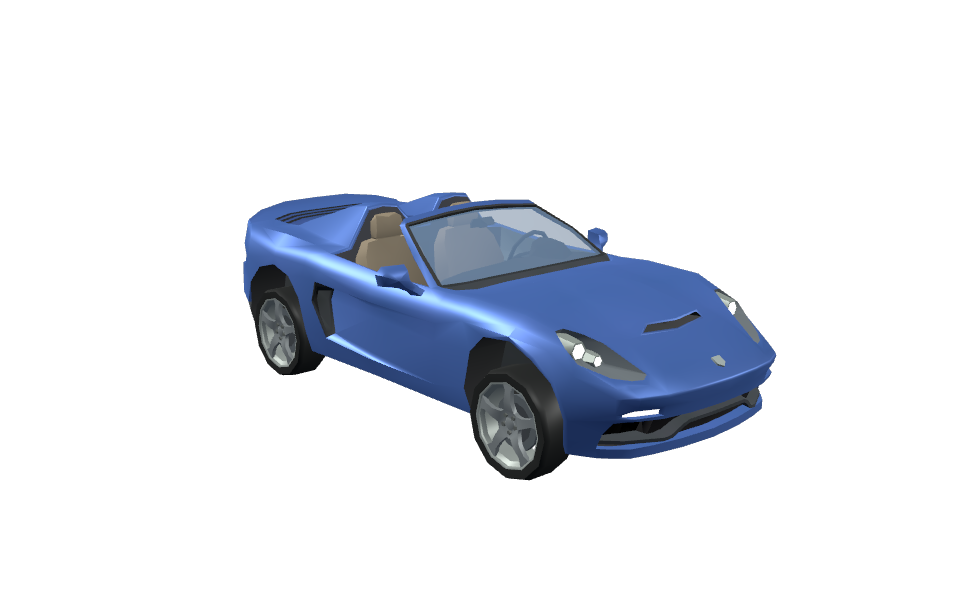
Rendered out of the build.
Wheelbase, track and ride height are measured off each mesh, so every car steers differently.
A long gun cannot be pocketed. It goes on your body, or in a boot.
One small file.
It downloads what changed and starts the game. Later updates are a few megabytes.
A name and a body from the roster. One character per account.
The phone (P) has a job board. Or buy a car, buy a flat, join the police.
Expected. The launcher is unsigned, so SmartScreen blocks it:
Windows protected your PC
Microsoft Defender SmartScreen prevented an
unrecognised app from starting.

App:       neighbors-launcher.exe
Publisher: Unknown publisher

              [ More info ]  [ Don't run ]
Click More info → Run anyway.
Signing means a certificate tied to a verified legal identity, kept on a hardware token — a few hundred euros a year for a game that isn't for sale. And a new certificate has no SmartScreen reputation, so the warning would show up anyway.
What you can check instead: the launcher verifies every download against a SHA-256 hash and aborts on a mismatch. Check the launcher itself the same way.
Fingerprints load from the build server.
certutil -hashfile neighbors-launcher.exe SHA256 ·
sha256sum neighbors-launcher
Two directories and the launcher. No registry keys, no services, nothing at startup.
| What | Windows | Linux |
|---|---|---|
| The game ~620 MB |
%APPDATA%\neighbors\client |
~/.config/neighbors/client |
| Saves a few MB |
%APPDATA%\Godot\app_userdata\Neighbors |
~/.local/share/godot/app_userdata/Neighbors |
| The launcher | wherever you saved it — usually Downloads | |
To remove it, either:
Uninstall Neighbors.bat in %APPDATA%\neighbors
(Linux: ~/.config/neighbors/uninstall-neighbors.sh), or
-uninstall.Both show you what they will delete and wait for a yes. Then delete the launcher and nothing is left. Your character is on the server — it survives, and reinstalling picks it back up.